

How to Add Apple CarPlay or
Android Auto to an Older Car
Loving your reliable older car but missing the modern convenience of a connected dashboard? You are not alone. Many drivers want the safety and simplicity of Apple CarPlay or Android Auto, which seamlessly integrate your smartphone's key features—like navigation, music, and hands-free communication—right onto your car's display. This technology makes every drive easier and more enjoyable by putting your favorite apps at your fingertips without dangerous distractions. The great news is that you do not have to buy a brand-new vehicle to get these features. There are several effective ways to upgrade your current ride, bringing cutting-edge infotainment into a car you already know and trust. Whether it is a complete stereo replacement or a simpler plug-and-play solution, modernizing your vehicle's tech is more accessible than you might think. Explore your options to enhance your daily commute and road trips.
Upgrading your older car with these systems can completely transform your driving experience, adding value and modern functionality. However, it is also worth considering the cost and effort involved. Sometimes, the most practical solution is to step into a more recent vehicle that already includes these features from the factory. Our extensive used inventory features a wide selection of cars, trucks, and SUVs equipped with the latest technology. You might find that upgrading your entire vehicle is a simpler and more rewarding path forward.
section>Your Comprehensive Guide to Modernizing Your Vehicle's Infotainment
In today's connected world, the technology inside our cars is just as important as what is under the hood. Apple CarPlay and Android Auto have revolutionized how we interact with our vehicles, offering a safer and more intuitive way to use smartphone apps while driving. If your car was made before these systems became standard, you might feel like you are missing out. Fortunately, you have several excellent options to bridge that technology gap. This guide will walk you through the most popular methods for adding Apple CarPlay or Android Auto to an older car, helping you decide which solution best fits your vehicle, budget, and technical comfort level.
Option 1: Aftermarket Head Unit Replacement
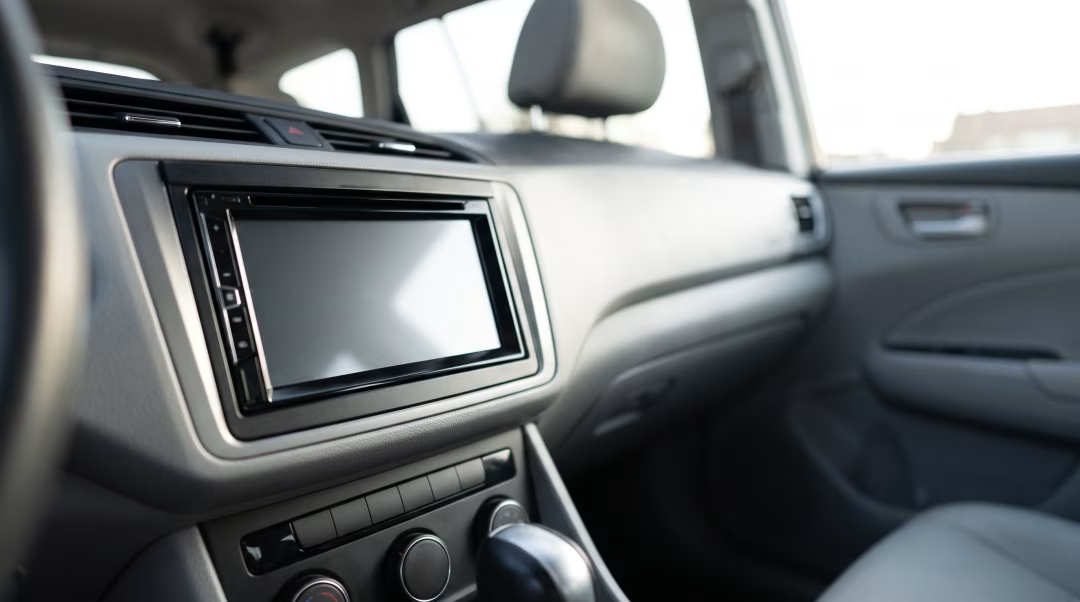
The most comprehensive and integrated solution is to replace your car's factory stereo, also known as the head unit, with an aftermarket model that supports Apple CarPlay and Android Auto. This involves removing the existing radio from your dashboard and installing a new one designed to fit in its place.
Modern aftermarket head units come in two standard sizes: single-DIN and double-DIN. A single-DIN unit is about two inches tall, typical of older, simpler radios. A double-DIN unit is four inches tall and allows for a large, built-in touchscreen display, which is what you will need for the full CarPlay or Android Auto experience. Most cars made in the last 20 years have a double-DIN slot, even if the factory radio does not look like it. Professional installers use dash kits to make the new unit fit seamlessly into your specific make and model.
Advantages of Replacing the Head Unit:
- Fully Integrated Experience: The new screen becomes a permanent, factory-like part of your dashboard.
- Large Touchscreen: Provides a clear, easy-to-use interface for maps, music, and calls.
- Improved Audio Quality: Aftermarket units often have better amplifiers and equalizers than factory stereos.
- Additional Features: Many units include HD Radio, satellite radio compatibility, and inputs for backup cameras.
Potential Downsides:
- Cost: This is generally the most expensive option, with costs for the unit and professional installation.
- Complex Installation: It requires knowledge of car wiring. Special adapters are often needed to retain features like steering wheel controls.
- Compatibility: In some cars where climate controls are integrated into the factory radio, replacement can be very complex or impossible.
Option 2: Standalone Dashboard-Mounted Displays
If you are looking for a less permanent or more budget-friendly option, a standalone CarPlay and Android Auto screen is a fantastic choice. These devices are essentially external touchscreens that you mount to your dashboard or windshield. They connect to your phone (often wirelessly) to run the interface and then route the audio to your car's stereo system.
Typically, these units transmit sound via an unused FM frequency or a direct connection to your car's auxiliary (AUX) input jack. They are powered by your car's 12V outlet (the cigarette lighter). This makes for a very simple setup process that nearly anyone can do themselves in just a few minutes, with no permanent modifications to the vehicle. This is an ideal solution for renters, people with leased vehicles, or those who want to move the technology between different cars.
Advantages of a Standalone Display:
- Affordability: Generally much less expensive than a full head unit replacement.
- Easy Installation: No tools or wiring knowledge required. Just mount it and plug it in.
- Portability: You can easily move the device from one car to another.
- No Permanent Changes: Your car's original factory stereo remains untouched.
Potential Downsides:
- Aesthetics: Visible wires and a mounted device can look cluttered compared to an integrated unit.
- Audio Connection: Using an FM transmitter may result in lower sound quality and occasional interference. An AUX connection is better if available.
- Convenience: You have an extra device to manage on your dash.
Option 3: Plug-In USB Adapters
This solution is for a specific group of vehicles: those that already have a factory-installed touchscreen but lack the software for Apple CarPlay or Android Auto. In these cases, a special USB adapter or dongle can sometimes activate the feature. These devices plug into your car's existing USB port and act as a bridge between your phone and the car's infotainment system, projecting the CarPlay or Android Auto interface onto the factory screen. This is a very niche solution and requires careful research to find an adapter that is compatible with your specific make, model, and year. They are most common for vehicles from the mid-2010s that just missed out on getting the feature from the factory.
Is Upgrading the Best Choice for You?
Before investing in any upgrade, consider the overall condition and age of your vehicle. If the cost of a new head unit and installation approaches a significant fraction of your car's value, it might be time to think about a different path. Trading in your vehicle for a newer used model is often a more financially sound decision. Many of the cars in our used inventory come with Apple CarPlay and Android Auto as standard features, along with other modern safety and convenience technologies. You can get an estimate of your current car's worth on our Value My Trade page. If you are curious about what your payments might look like, you can get pre-qualified for financing right on our website. Our team is always here to help you explore all your options.
How much does it cost to add Apple CarPlay or Android Auto?
The cost varies widely based on the method. A standalone dashboard screen can cost between $100 and $300. An aftermarket head unit replacement is more expensive, with quality touchscreen units starting around $300 and going up to $1,000 or more, plus the cost of professional installation, which can add a few hundred dollars.
Can I install an aftermarket head unit myself?
If you are experienced with car electronics and wiring, a DIY installation is possible. However, for most people, professional installation is recommended. It requires specific tools, dash kits for a clean fit, and wiring harness adapters to connect to your car's system and retain features like steering wheel controls.
Will adding aftermarket parts affect my car's warranty?
In the United States, the Magnuson-Moss Warranty Act protects consumers. A dealer cannot void your entire vehicle warranty just because you have installed an aftermarket part. They would have to prove that the specific aftermarket part you installed caused the failure of a component that needs warranty repair.
Do Apple CarPlay and Android Auto use my phone's cellular data?
Yes. The systems themselves do not use data, but the apps you run through them do. For example, using Google Maps for navigation or streaming music from Spotify will use your phone's cellular data plan, just as it would if you were using the phone directly. You can download maps and music for offline use to reduce data consumption.
What is the difference between wired and wireless CarPlay and Android Auto?
Wired versions require you to physically plug your phone into the system's USB port. This connection is very stable and charges your phone at the same time. Wireless versions connect your phone via Bluetooth and Wi-Fi, which is more convenient for short trips as you can leave your phone in your pocket. Many modern aftermarket units and standalone screens offer wireless connectivity.
Your Comprehensive Guide to Modernizing Your Vehicle's Infotainment
In today's connected world, the technology inside our cars is just as important as what is under the hood. Apple CarPlay and Android Auto have revolutionized how we interact with our vehicles, offering a safer and more intuitive way to use smartphone apps while driving. If your car was made before these systems became standard, you might feel like you are missing out. Fortunately, you have several excellent options to bridge that technology gap. This guide will walk you through the most popular methods for adding Apple CarPlay or Android Auto to an older car, helping you decide which solution best fits your vehicle, budget, and technical comfort level.
Option 1: Aftermarket Head Unit Replacement
The most comprehensive and integrated solution is to replace your car's factory stereo, also known as the head unit, with an aftermarket model that supports Apple CarPlay and Android Auto. This involves removing the existing radio from your dashboard and installing a new one designed to fit in its place.
Modern aftermarket head units come in two standard sizes: single-DIN and double-DIN. A single-DIN unit is about two inches tall, typical of older, simpler radios. A double-DIN unit is four inches tall and allows for a large, built-in touchscreen display, which is what you will need for the full CarPlay or Android Auto experience. Most cars made in the last 20 years have a double-DIN slot, even if the factory radio does not look like it. Professional installers use dash kits to make the new unit fit seamlessly into your specific make and model.
Advantages of Replacing the Head Unit:
- Fully Integrated Experience: The new screen becomes a permanent, factory-like part of your dashboard.
- Large Touchscreen: Provides a clear, easy-to-use interface for maps, music, and calls.
- Improved Audio Quality: Aftermarket units often have better amplifiers and equalizers than factory stereos.
- Additional Features: Many units include HD Radio, satellite radio compatibility, and inputs for backup cameras.
Potential Downsides:
- Cost: This is generally the most expensive option, with costs for the unit and professional installation.
- Complex Installation: It requires knowledge of car wiring. Special adapters are often needed to retain features like steering wheel controls.
- Compatibility: In some cars where climate controls are integrated into the factory radio, replacement can be very complex or impossible.
Option 2: Standalone Dashboard-Mounted Displays
If you are looking for a less permanent or more budget-friendly option, a standalone CarPlay and Android Auto screen is a fantastic choice. These devices are essentially external touchscreens that you mount to your dashboard or windshield. They connect to your phone (often wirelessly) to run the interface and then route the audio to your car's stereo system.
Typically, these units transmit sound via an unused FM frequency or a direct connection to your car's auxiliary (AUX) input jack. They are powered by your car's 12V outlet (the cigarette lighter). This makes for a very simple setup process that nearly anyone can do themselves in just a few minutes, with no permanent modifications to the vehicle. This is an ideal solution for renters, people with leased vehicles, or those who want to move the technology between different cars.
Advantages of a Standalone Display:
- Affordability: Generally much less expensive than a full head unit replacement.
- Easy Installation: No tools or wiring knowledge required. Just mount it and plug it in.
- Portability: You can easily move the device from one car to another.
- No Permanent Changes: Your car's original factory stereo remains untouched.
Potential Downsides:
- Aesthetics: Visible wires and a mounted device can look cluttered compared to an integrated unit.
- Audio Connection: Using an FM transmitter may result in lower sound quality and occasional interference. An AUX connection is better if available.
- Convenience: You have an extra device to manage on your dash.
Option 3: Plug-In USB Adapters
This solution is for a specific group of vehicles: those that already have a factory-installed touchscreen but lack the software for Apple CarPlay or Android Auto. In these cases, a special USB adapter or dongle can sometimes activate the feature. These devices plug into your car's existing USB port and act as a bridge between your phone and the car's infotainment system, projecting the CarPlay or Android Auto interface onto the factory screen. This is a very niche solution and requires careful research to find an adapter that is compatible with your specific make, model, and year. They are most common for vehicles from the mid-2010s that just missed out on getting the feature from the factory.
Is Upgrading the Best Choice for You?
Before investing in any upgrade, consider the overall condition and age of your vehicle. If the cost of a new head unit and installation approaches a significant fraction of your car's value, it might be time to think about a different path. Trading in your vehicle for a newer used model is often a more financially sound decision. Many of the cars in our used inventory come with Apple CarPlay and Android Auto as standard features, along with other modern safety and convenience technologies. You can get an estimate of your current car's worth on our Value My Trade page. If you are curious about what your payments might look like, you can get pre-qualified for financing right on our website. Our team is always here to help you explore all your options.
How much does it cost to add Apple CarPlay or Android Auto?
The cost varies widely based on the method. A standalone dashboard screen can cost between $100 and $300. An aftermarket head unit replacement is more expensive, with quality touchscreen units starting around $300 and going up to $1,000 or more, plus the cost of professional installation, which can add a few hundred dollars.
Can I install an aftermarket head unit myself?
If you are experienced with car electronics and wiring, a DIY installation is possible. However, for most people, professional installation is recommended. It requires specific tools, dash kits for a clean fit, and wiring harness adapters to connect to your car's system and retain features like steering wheel controls.
Will adding aftermarket parts affect my car's warranty?
In the United States, the Magnuson-Moss Warranty Act protects consumers. A dealer cannot void your entire vehicle warranty just because you have installed an aftermarket part. They would have to prove that the specific aftermarket part you installed caused the failure of a component that needs warranty repair.
Do Apple CarPlay and Android Auto use my phone's cellular data?
Yes. The systems themselves do not use data, but the apps you run through them do. For example, using Google Maps for navigation or streaming music from Spotify will use your phone's cellular data plan, just as it would if you were using the phone directly. You can download maps and music for offline use to reduce data consumption.
What is the difference between wired and wireless CarPlay and Android Auto?
Wired versions require you to physically plug your phone into the system's USB port. This connection is very stable and charges your phone at the same time. Wireless versions connect your phone via Bluetooth and Wi-Fi, which is more convenient for short trips as you can leave your phone in your pocket. Many modern aftermarket units and standalone screens offer wireless connectivity.
